> For the complete documentation index, see [llms.txt](https://docs.alohaa.ai/alohaa-docs/llms.txt). Markdown versions of documentation pages are available by appending `.md` to page URLs; this page is available as [Markdown](https://docs.alohaa.ai/alohaa-docs/webhooks/number-masking-webhook.md).
# Number Masking Webhook
Number masking in the Alohaa enhances privacy by hiding actual phone numbers during calls. This guide details the webhooks for setting up call initiation and managing completion events.
## Part 1: Number Masking Call Initiation
**Webhook Request Data**
When a number masking call is to be initiated, Alohaa sends the following data to the client’s endpoint:
```
{
"caller_number": "99889xxxxx",
"did": "918645658689",
"call_id": "1ascaba13abcaav"
}
```
**Expected Webhook Response**
The client needs to process the above request and respond with the following structure, which includes the number to which the call should be forwarded and any applicable timeout settings:
```
{
"response": {
"call_forwarding_number": "87123xxxxx",
"call_timeout": 0
}
}
// Value in seconds, 0 means no timeout
```
## Payload Fields Description
| Field | Description |
| ------------------------ | ---------------------------------------------------------- |
| `call_forwarding_number` | The phone number to which the call should be forwarded. |
| `call_timeout` | Timeout for the call in seconds. '0' indicates no timeout. |
## Call Flow Description
1. The Caller initiates a call to the DID
2. A webhook is triggered on the Client Server with the Caller ID, Caller No., and DID No.
3. The Client Server responds to the webhook with the Receiver's number and Call timeout duration. Call timeout should be 0, if there is no timeout.
4. The Aloaha Server initiates a call to the Receiver.
5. The call is connected between the Caller and the Receiver.
6. The call is completed.
7. A webhook is triggered on the Client Server with the call details.
Number Masking Call Flow
[**Updating the API Endpoint:**](#user-content-fn-1)[^1]
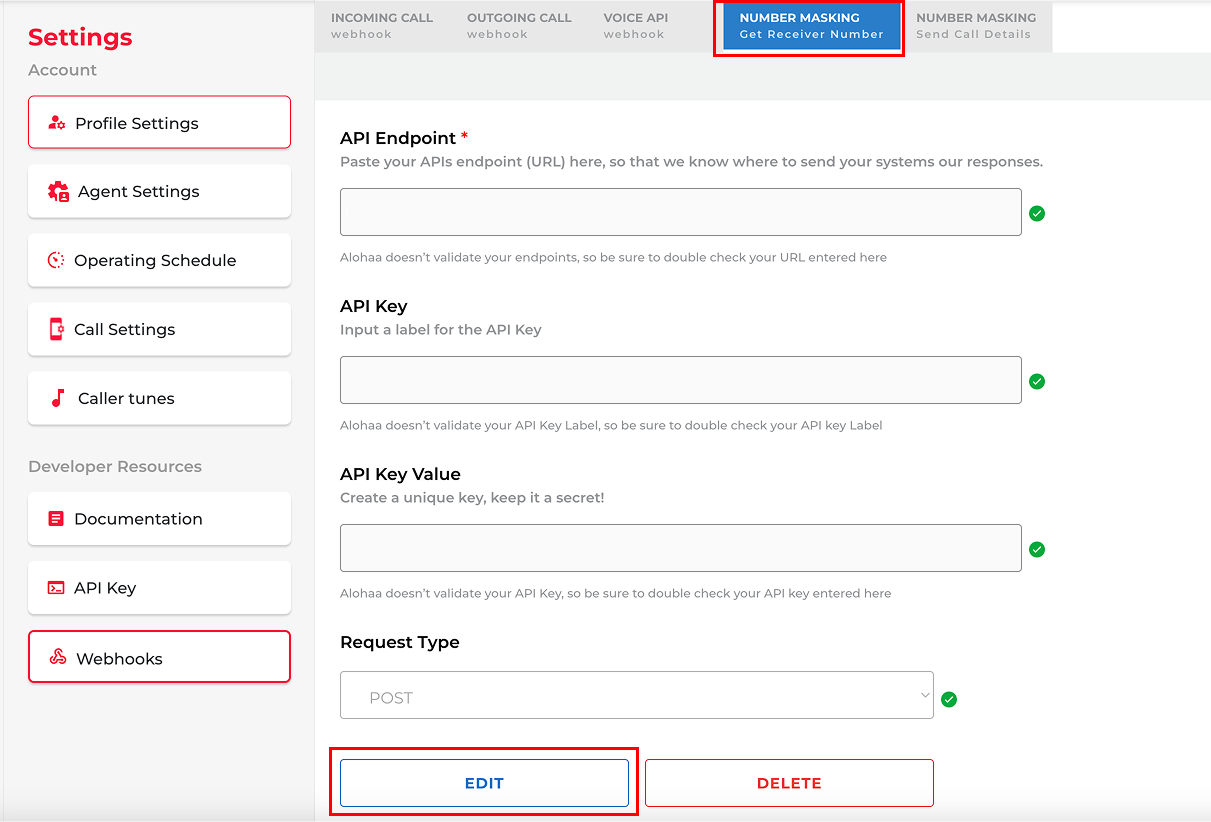
On your Alohaa platform, open the side menu and go to **Settings**. Then, navigate to the **Webhooks** submenu. Find the **Number Masking - Get Receiver Details** webhook, click **Edit**, and update the API endpoint.
## Part 2: Call Completion Notification
Upon the completion of a number masking call, Alohaa sends a webhook with the following data to notify the client of the call's outcome:
```
{
"organisation_id": "89311a60-ee25-11ec-xxxxxx",
"caller_number": "905293XXXX",
"receiver_number": "967650XXXX",
"did_number": "91806973XXXX",
"received_at": "2023-02-28T06:48:01.000Z",
"ended_at": "2023-02-28T06:49:10.000Z",
"call_id": "65015fbd9c9a62XXXXXXX",
"call_status": "answered", // or "notanswered"
"call_duration": "00:01:09",
"call_recording_url": "https://doosra-ivr-voicemails.s3.ap-south-1.amazonaws.com/.....",
}
```
## Payload Fields Description
| organisation\_id | Unique identifier for the organization. |
| -------------------- | ------------------------------------------------------ |
| caller\_number | Masked phone number of the caller. |
| receiver\_number | Masked phone number of the receiver. |
| did\_number | Direct Inward Dialing (DID) number used for the call. |
| received\_at | Timestamp when the call was received. |
| ended\_at | Timestamp when the call ended. |
| call\_id | Unique identifier for the call session. |
| call\_status | Status of the call (e.g., "answered", "not answered"). |
| call\_duration | Duration of the call in seconds |
| call\_recording\_url | URL to access the call recording. |
[**Updating the API Endpoint:**](#user-content-fn-1)[^1]
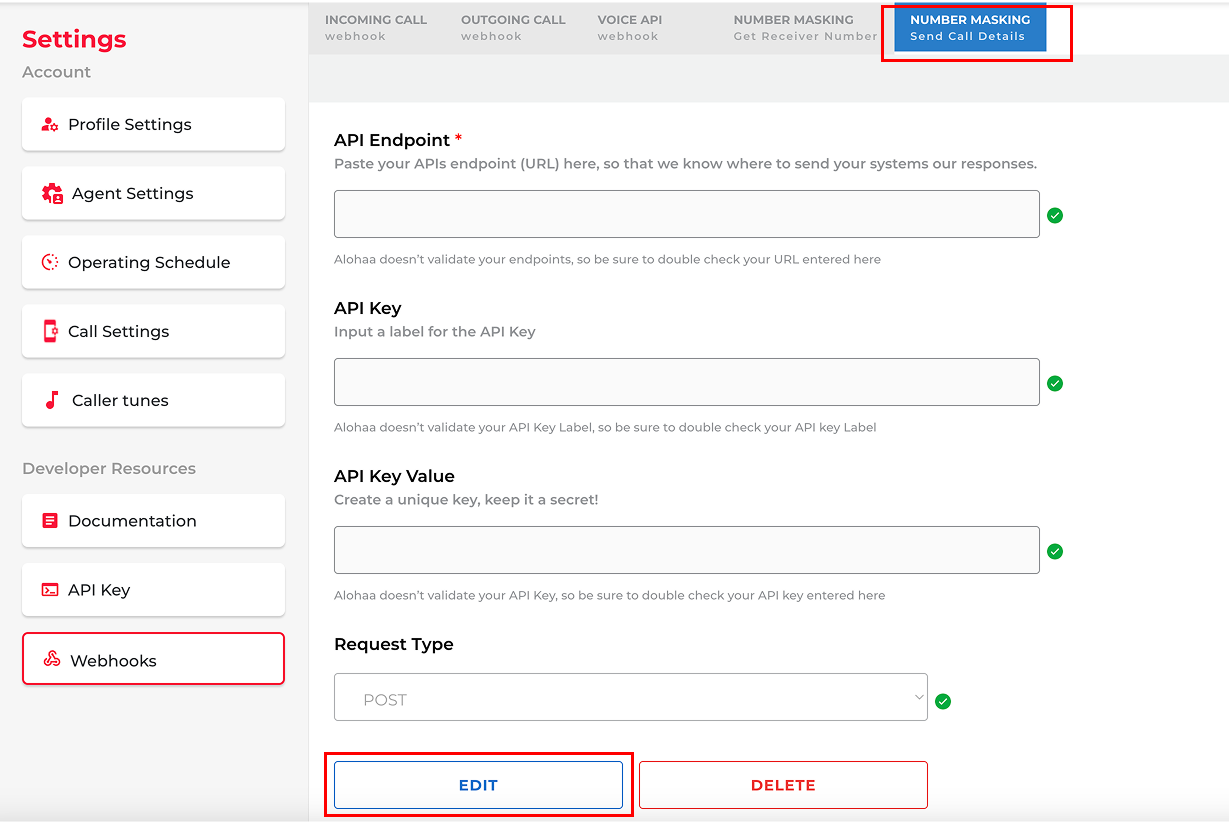
On your Alohaa platform, open the side menu and go to **Settings**. Then, navigate to the **Webhooks** submenu. Find the **Number Masking - Send Call Details** webhook, click **Edit**, and update the API endpoint.
[^1]:
.png?alt=media&token=1a55f4e6-2ff8-4a61-98ed-97b4c33c22b0)